

What You'll Need
Turn a still photo of your pet into a dancing, walking, or singing video using free AI tools — no coding, no drawing skills, and no subscription needed. Kids describe what they want their pet to do, and the AI figures out the movement. The whole project takes under 10 minutes.
This activity teaches kids how AI interprets human language into visual output — one of the most important creative skills of the next decade. And the results are genuinely funny. Kids will learn:
- Well-lit, pet facing the camera, eyes clearly visible
- Plain or uncluttered background — busy backgrounds confuse the AI's edge detection
- .jpg, .jpeg, or .png format, under 10MB
- Crop to 16:9 (widescreen) or 9:16 (vertical for TikTok/mobile) before uploading — this prevents the tool from guessing how to fill the frame
Dive In
Step 1 — Prepare your pet photo
Pick a clear photo where your pet's face is fully visible and well-lit. Close-up works better than a wide shot. Save it as a .jpg or .png under 10MB and crop it to a standard ratio (16:9 for widescreen, 9:16 for vertical) — this prevents the animation tool from deciding how to fill the frame on your behalf.
No good photo? Use Adobe Firefly (free, no account needed) to generate a cartoon version instead. Type something like "fluffy orange cat sitting and looking at camera, cartoon style, plain blue background" and download the result.
Step 2 — Open your animation tool and upload
Go to kling.ai and sign in with Google (free). Click "Image to Video." Upload your pet photo and wait for the thumbnail preview to fully load before moving on — if you proceed before it loads, the generation may fail.

Step 3 — Configure motion brush
(Optional but recommended) If you're using Kling, Pika, or Runway's motion brush tool, select it before writing your prompt. Highlight only the parts of your pet you want to move — tail, ears, eyes, mouth. This isolates the movement to those areas and prevents the background or the rest of the body from warping unnaturally during generation. Skip this step on your first try if you want to keep it simple.
Step 4 — Write your animation prompt
This is the creative part — and the most important one. The more specific your description, the more control you have over what the AI produces.
Copy one of these tested prompt templates and customise it for your pet:
🐕 For dogs:Dog blinking eyes, panting softly, and wagging tail, natural movement, cinematic lighting, maintaining photo consistency, photorealistic
🐈 For cats:Cat twitching whiskers, blinking slowly, ears moving toward background sounds, soft fur texture, smooth animation, loopable movement
🎬 For a cinematic effect (works well for four-legged pets):Pet sitting perfectly still, slow cinematic camera pan zoom-in, dramatic depth of field, studio lighting, hyper-realistic detail
🎉 For a fun kids version:Orange tabby cat disco-dancing in a sparkly hat, smooth movement, bright stage lighting, joyful expression
🧠 Critical Thinking Check-In: Before clicking Generate, ask your child: "What do you think the AI actually sees in this photo?" Pass them this hint: the AI looks for edges — the lines where your pet's fur meets the background. That's how it figures out where the body ends and the movement begins. This is called edge detection, and it's the same technique used in face recognition and self-driving cars.
Step 5 — Set motion intensity and generate
Set your motion intensity to a moderate level — typically 3 to 5 on a 10-point scale. High intensity (7+) will distort your pet's anatomy. Low intensity (1–2) will produce barely visible movement. Match the aspect ratio to your original photo, then click Generate. Kling's free tier produces a 5-second clip in about 60–90 seconds.
Step 6 — Review, iterate, and extend
Watch the result with your child. Did it do what you described? What would you change in the prompt? Run it again with different instructions — compare both versions side by side. Which prompt gave better results? Why?
If you love a result, use the "Extend +4s" feature to continue the motion seamlessly from the last frame, then download as .mp4.
🧠 Critical Thinking Check-In: After watching the final video, ask your child: "Is this video real? Could someone use a tool like this to make a video of a real person saying or doing something they never actually did?" This is the most important conversation this project opens — and it only takes two minutes.
Step 7 — Optional: Add a voice
Once you have an animation you love, add a lip-sync prompt to make your pet talk or sing. Try: "The cat sings: I love my family. I am the luckiest cat in the world." Save this — it can become the first scene of a full AI pet music video in a future project.
The Reality Check — What These Tools Can't Do
Four-legged animals are harder than two-legged ones. The AI has less training data on realistic quadruped movement, so dogs and cats sometimes produce odd leg physics. Cinematic camera prompts (slow zoom, minimal body movement) work better than action prompts for most four-legged pets on a first try.
Cluttered backgrounds confuse the model. The AI can't always separate your pet from a busy scene, causing the whole image to warp. Plain backgrounds produce dramatically cleaner results.
Free tier generation limits reset daily. Kling and Hailuo both limit free daily generations. If you hit the limit, switch between platforms or try again the next day.
The AI doesn't know your pet. It can't replicate your dog's specific personality or your cat's actual movement patterns. Every output is a probabilistic guess based on millions of training videos — which is exactly what makes the bad results funny and educational.
The Ethical Conversation Worth Having
AI animation tools create convincing videos of things that never happened. This project is a natural moment to discuss deepfakes without making it heavy:
The video you just made isn't real — it's a machine's guess at what movement looks like based on patterns in its training data. Other people use these same tools to create videos of real people doing or saying things they never actually did. That's why it matters to look critically at video content online, especially anything surprising or extreme.
This conversation takes two minutes and plants a critical thinking habit that matters for the rest of your child's digital life.
Try These Next
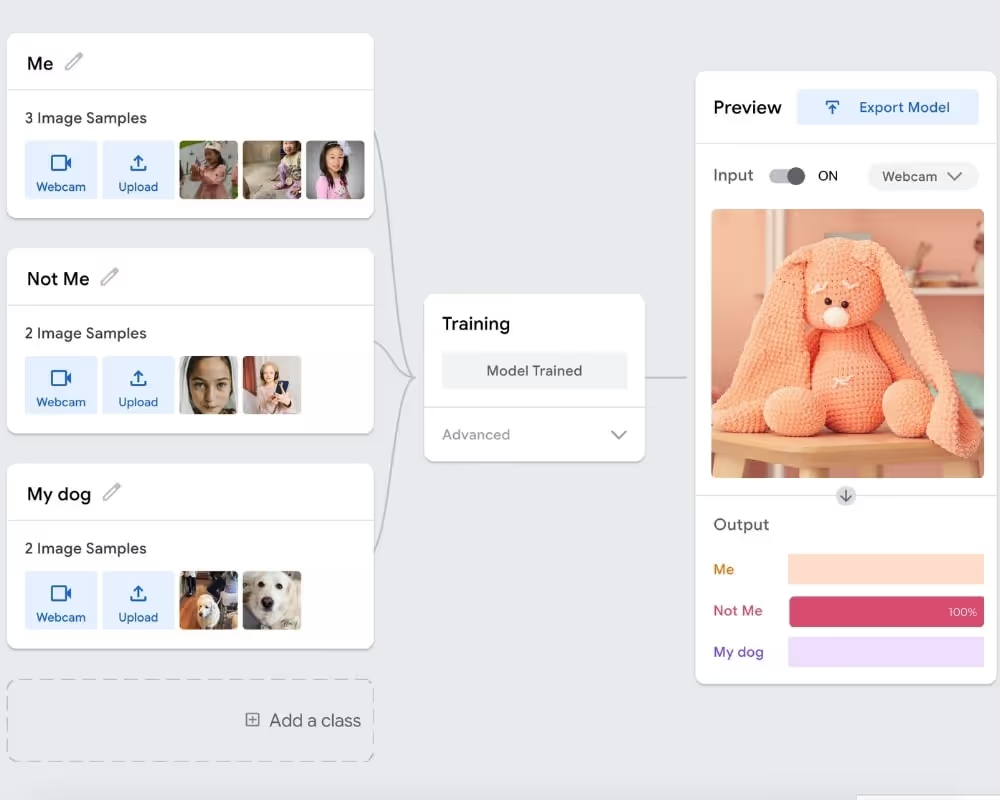
- 🤸 Train an AI to Recognise Your Gymnastics Moves → — teach an AI your cartwheel and back bridge using Google Teachable Machine, no coding needed
- 🐶 AI Puppy Detective: Train a Vision Model → — train an AI to spot your dog vs an imposter using photos
- 🦸 One-Click Action Hero with ChatGPT → — turn your child into a custom AI-generated action figure in a collector's box
- 📖 Best AI Tools for Kids — Parent Guide → — vetted, age-appropriate AI tools sorted by what kids actually enjoy
FAQ
Q: Can I animate my cat photo into a dancing video for free?
A: Yes. Kling AI and Hailuo both offer free tiers that animate cat photos into short dancing videos. For cats, use this prompt: "Cat twitching whiskers, blinking slowly, smooth animation, loopable movement." The whole project takes under 10 minutes with no coding required.
Q: Do these AI animation tools work for any pet photo?
A: Yes — dogs, cats, rabbits, birds, and any pet with a clear well-lit photo facing the camera. Four-legged animals work best with gentle movement prompts (wagging tail, blinking) rather than full-body dancing, which can distort anatomy. Try a cinematic zoom prompt if dancing results look unnatural.
Q: Are these AI pet animation tools safe for kids?
A: Yes for supervised use. Kling and Hailuo don't generate inappropriate content from pet photos. Keep prompts simple and fun. Use this project to talk about how AI-generated videos aren't real — an important media literacy conversation for kids in 2026.
Q: What makes a good prompt for animating a dog or cat photo?
A: Be specific about the movement and mood. "Dog wagging tail, panting softly, natural movement, cinematic lighting" beats "make my dog move." Include the animal type, specific actions, and style. The more detail you give the AI, the more control you have over the result.
Find more AI fun projects for kids here

Derivatives & startup experience across 3 continents, including China. Elementary school mom to one very active kid. LSE MSc.
%20(300%20x%20250%20px)%20(1).avif)
-min.avif)