
The “Button-Pressing” Misconception
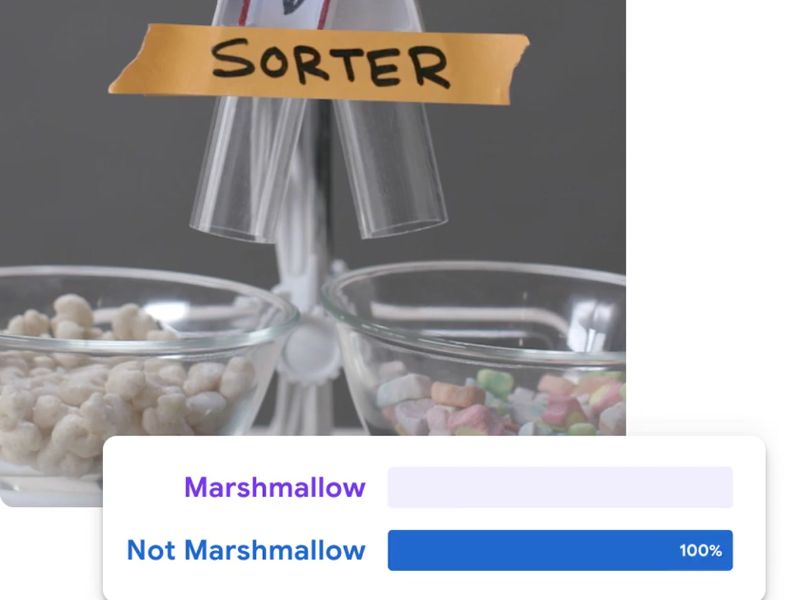
A massive number of tech toys market simple button inputs as “coding.” In practice, these gadgets simply trigger pre-programmed actions or simulate intelligence. To a child, it feels like magic. But they aren't building coding logic—they are just activating it.
What kids are actually learning are pre-coding skills:
- Sequencing: Order of operations (do this, then that).
- Patterns: Executing basic loops and repetitions.
- Cause and Effect: Understanding how inputs change outputs.
⚠️ The 30-Day Slump
The biggest gap in these toys is that kids interact, but they don't create. They limit open-ended problem solving and lack progression. That is why so many parents report the exact same trend: "It was fun for the first two weeks, and now it sits in the closet."
The 4 Levels of True Tech Learning
Before buying a toy, understand where your child actually sits on the learning progression framework:
- Level 1: Cause-and-Effect (Ages 5–7) | Pressing a button to make a robot move. A good starting point, but not coding.
- Level 2: Block-Based Logic (Ages 6–10) | Drag-and-drop commands (like Scratch). This is where 90% of "coding toys" completely stop.
- Level 3: Debugging & Systems Thinking (Ages 8–14) | Finding errors in a sequence and fixing them. This is where real engineering begins.
- Level 4: Text-Based Syntax (Ages 12+) | Writing actual Python or JavaScript. Toys rarely reach this level meaningfully.

At a Glance : The 5 Most Popular Robots on the Market
These five options are not perfect, but compared to the rest of the market, they come closest to delivering actual logic progression.
1. Wonder Workshop Dash (Ages 6–11)
- The Pro: It uses highly structured, gamified in-app missions. Kids stay engaged because they have clear puzzles to solve.
- The Con: It does not transition into real text-based programming languages.
- Verdict: Best for structured beginners who need a game-like format to stay interested.
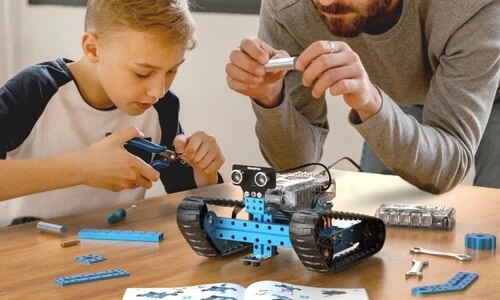
2. Makeblock mBot2 (Ages 8–14)
- The Pro: One of the rare robots that bridges the gap between scratch blocks and actual Python syntax.
- The Con: It requires assembly and features a steep learning curve.
- Verdict: Ideal for the natural tinkerer who enjoys building hardware and testing complex logic.
3. Sphero BOLT (Ages 8–16)
- The Pro: Highly durable and introduces kids to the fundamentals of JavaScript.
- The Con: Without parental structure, kids easily treat it like a premium remote-control car.
- Verdict: Outstanding for open-ended experimentation, provided an adult sets specific coding challenges.
4. Botley 2.0 (Ages 5–8)
- The Pro: 100% screen-free. Teaches clean, step-by-step sequencing concepts.
- The Con: Zero long-term growth potential. Kids outgrow the simple logic puzzles quickly.
- Verdict: A fantastic, screen-free entry point for early childhood development.
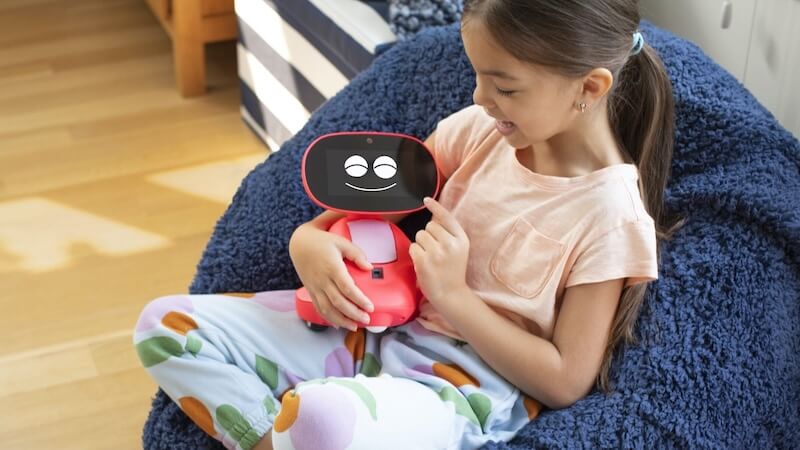
5. Miko 3 (Ages 5–10)
- The Pro: Incredible AI conversational engine, interactive games, and quizzes.
- The Con: It does not teach coding or logic.
- Verdict: Buy this as an interactive companion toy, not an educational STEM tool.
Are AI robot toys worth it?
Yes—if your goal is to build early computational confidence and problem-solving grit. No—if you expect the toy to act as a standalone, fully independent babysitter that turns your child into a software engineer.
The hardware itself does not teach coding. The project infrastructure around it does. To maximize your investment, pair these toys with structured, real-world practice like building custom Scratch games or joining a project-based coding program.

Details and Verdict
1. Wonder Workshop Dash Robot
Age: 6–11
Best for: Structured beginners
What kids actually learn:
- sequencing
- basic logic
- following step-by-step coding challenges
What they don’t learn:
- real programming languages
Parent verdict:
Dash consistently shows up in classrooms and parent discussions for one reason:
👉 it has guided missions and progression
Kids are more likely to keep using it if they follow the challenges.
Without that, it becomes just another interactive toy.

2. Makeblock mBot2
Age: 8–14
Best for: Kids who like building and problem-solving
What kids actually learn:
- block coding → Python progression
- robotics concepts
- debugging and iteration
What’s harder:
- setup and learning curve
Parent verdict:
This is one of the few robots that can go beyond beginner level.
But there’s a tradeoff:
👉 kids who want instant fun may lose interest
👉 kids who like building and figuring things out can go much deeper
3. Sphero BOLT
Age: 8–16
Best for: Experimentation and flexible learning
What kids actually learn:
- block coding
- intro to JavaScript
- cause-and-effect through sensors
What often happens:
- kids alternate between coding and just driving it
Parent verdict:
Sphero BOLT is powerful — but easy to underuse.
👉 Without structure, many kids don’t go beyond basic play
👉 With guidance, it can introduce real coding concepts

4. Botley 2.0 (Screen-Free Coding Robot)
Age: 5–8
Best for: Younger kids, low screen time families
What kids actually learn:
- sequencing (step-by-step thinking)
- basic logic
- early problem-solving
What they don’t learn:
- real coding
- programming concepts beyond simple commands
Parent verdict:
Botley is one of the easiest ways to introduce logic without screens.
👉 Parents like that it’s simple and frustration-free
👉 Kids enjoy it—but outgrow it quickly
This is a starting point, not a long-term learning tool.

5. Miko 3 (Not Really a Coding Robot)
Age: 5–10
Best for: Entertainment, interaction, curiosity
What kids actually get:
- conversations
- games and quizzes
- AI-style interaction
What they don’t learn:
- coding
- logic building beyond basic activities
Parent verdict:
👉 Kids love it
👉 But it’s closer to a smart companion device than a learning tool
Many parents buy it expecting STEM learning—and end up using it more like an interactive toy.
Which Toy Suits Your Child?
- For the "Screen-Free" Home (Ages 5-8): Botley 2.0
- For the Gamer (Ages 6-11): Wonder Workshop Dash
- For the Future Programmer (Ages 8-14): Makeblock mBot2
- For the Hands On Engineer (Ages 12+): Sphero Bolt or RVR+
Ready to give your child a real head start in 2026? Explore our Bay Area coding programs and camps near you.

Over a decade helping students into top colleges. The acceptance letter isn't the finish line — it's just the beginning.



%20(300%20x%20250%20px)%20(1).avif)
%20(300%20x%20250%20px)%20(2)%202.avif)





-min.avif)